
Buy IPTV Playlist for HotPlayer
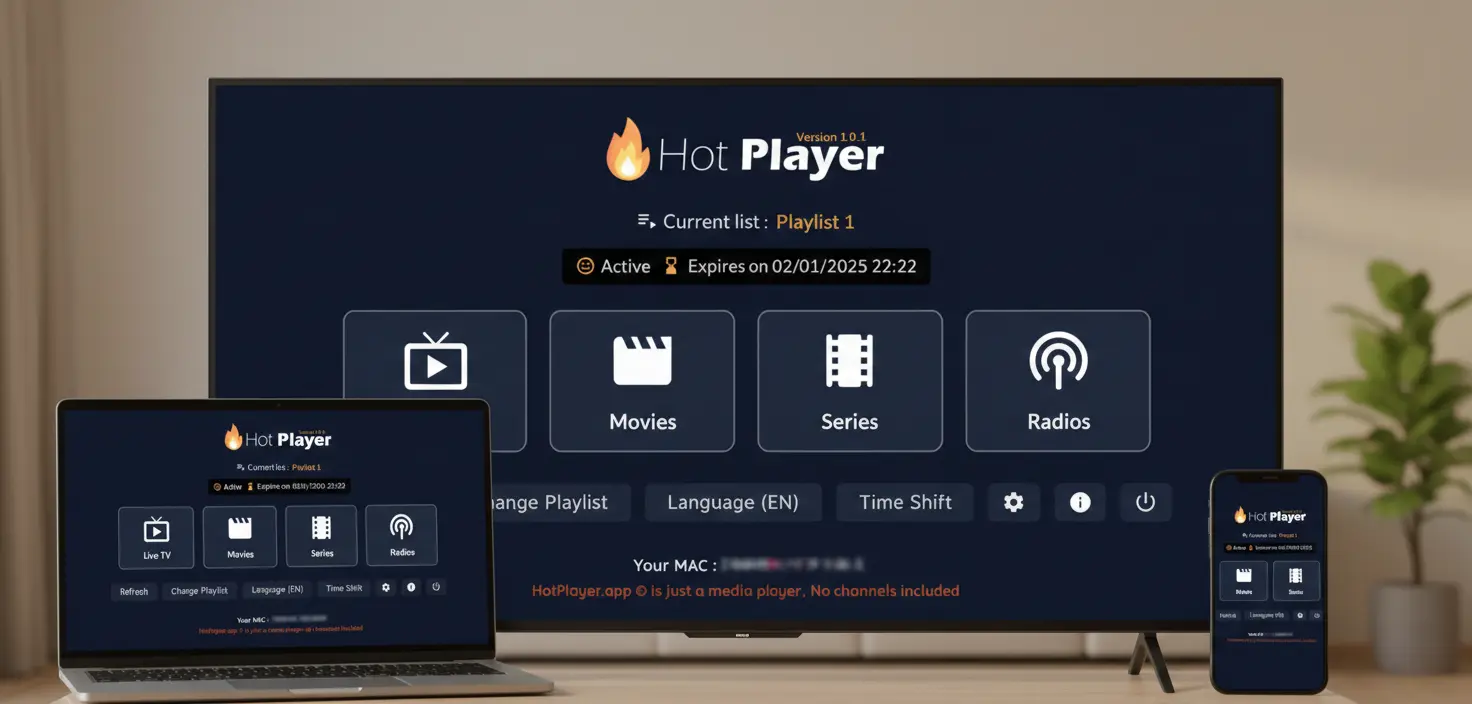
Installed HotPlayer but see no channels? That's normal! HotPlayer offers a 1-month trial, then requires activation to continue using the app. You also need an IPTV playlist subscription to access content. This guide explains subscription plans, pricing, and how to get both the app activation and IPTV service.
Understanding What You Need
HotPlayer app: IPTV media player with 1-month trial. After trial, activation required (we offer app activation). Does NOT include content.
Our IPTV service (PAID): Playlist subscription providing M3U URL with 40,000+ channels. You need BOTH app + playlist.
🎯 Why You Need a Subscription
📱HotPlayer App
- ✓IPTV media player app
- ✓1-month trial included
- ✓Activation required after trial
- ✓No content included
- ✓We offer app activation
🎬Our IPTV Service (PAID)
- ✓40,000+ live channels
- ✓100,000+ VOD titles
- ✓M3U/Xtream Codes playlist
- ✓Instant activation
🎯 Bottom Line: HotPlayer app = 1-month trial, then needs activation (we offer it). Our IPTV service = paid playlist subscription (provides content). You need both.
💳 Subscription Plans & Pricing
All plans include identical content (40,000+ channels, 100,000+ VOD). Choose by duration and devices:
1 Month Plan
Short-term1 Device
$14.99
2 Devices
$22.89
3 Devices
$29.97
3 Months Plan
Save 44%1 Device
$24.98
2 Devices
$37.77
3 Devices
$49.89
6 Months Plan
Save 53%1 Device
$41.99
2 Devices
$62.96
3 Devices
$83.97
12 Months PlanBEST VALUE
Save 67%1 Device
$59.99
$5/month
2 Devices
$89.99
$7.50/month
3 Devices
$119.95
$10/month
💎 Save up to $120/year vs. monthly billing
✨ All Plans Include: 40,000+ channels • 100,000+ VOD • 4K/HD quality • 99.9% uptime • EPG • 24/7 support • Instant activation
🛒 How to Buy Your Subscription
4-Step Purchase Process
Visit our Packages Page
Select plan duration (1, 3, 6, or 12 months) + device count (1, 2, or 3)
Click "Get Plan" → Complete checkout with your details
Receive M3U credentials via email instantly!
Ready to Subscribe?
⚙️ After Purchase: Setup Your Playlist
After payment, you'll receive an email with M3U URL, username, password, and server details. Add to HotPlayer:
1️⃣M3U URL
Open HotPlayer → Settings → Add Playlist → Paste M3U URL → Save
✓ Auto-updates playlist
2️⃣M3U File
Download M3U file → HotPlayer → Import File → Select file
⚠️ Manual updates needed
3️⃣Xtream Codes
HotPlayer → Xtream API → Enter server, user, pass → Test → Save
✓ Faster loading
💡 Recommended: Use M3U URL or Xtream Codes for automatic updates. Need help? View our playlist upload guide.
❓ Common Questions
Does HotPlayer app cost money?
What's the difference between plans?
When do I receive credentials?
Can I use on multiple devices?
Is there a free trial?
Need More Help?
- • Email: support@hotplayerpro.org
- • FAQ Page: Visit full FAQ
- • Contact: Contact support
Ready to Start Streaming?
Subscribe to our IPTV service and unlock 40,000+ channels on your HotPlayer app!
Instant activation • All devices • 24/7 support • Cancel anytime